
For agencies, that one pays off fast. You already hold rich marketing data — spend, performance, creative, client outcomes — usually unified in a tool like Funnel and landed in a warehouse like BigQuery. The data is there. The access isn't. The handful of people who can query it become a queue, and everyone else waits. Dashboards help, but they only answer the questions you anticipated. The long-tail ones, like "which creative angle drove the most profit for this client last month?", still route through a person. Data stays a specialist concern instead of something the agency reaches for.
Data warehouse — a central database built to store and analyse large volumes of business data. Here, it's where the numbers from every ad platform are collected and kept together. BigQuery is Google's version.
The case for governed access
The tempting fix is to point ChatGPT straight at the warehouse. Don't. Hand a language model live database credentials and you take on three problems at once: - cost (one careless full-table scan runs up a real bill) - exposure (nothing stops it reading the wrong table or dumping raw rows) - trust (models write confident, wrong SQL).
For an agency holding client spend and performance data, "let the model query freely" isn't a plan.

Give the model a guarded interface, not the database
The pattern that works is simple to state. Don't connect the model to the database; connect it to a narrow, guarded interface in front of the database. The mechanism is the Model Context Protocol (MCP), the emerging standard that lets ChatGPT, Claude and Google's Gemini agents talk to external tools through one common interface.
In practice that means a small server exposing one table, read-only, with a handful of purpose-built tools: describe the data, suggest safe queries, estimate a query's cost before running it, run a guarded query, and shortcut tools that perform the common aggregations directly, so the model rarely writes raw SQL at all.
The guardrails sit on the server, where the model can't argue with them:
- Read-only, one statement. Only a single read query runs. The server rejects writes, exports and schema changes before they reach the warehouse.
- One table, no exceptions. Every query is checked to touch only the table you've exposed, and the warehouse's own dry-run is used as the final arbiter, confirming exactly which tables a query references. No wandering into other datasets.
- Cost capped at the source. A hard ceiling on bytes billed per query, and a cap on rows returned. A runaway bill becomes impossible by construction.
A good result of this set up is that none of this depends on the model behaving well; the limits will hold regardless.
What it takes to ship an MCP
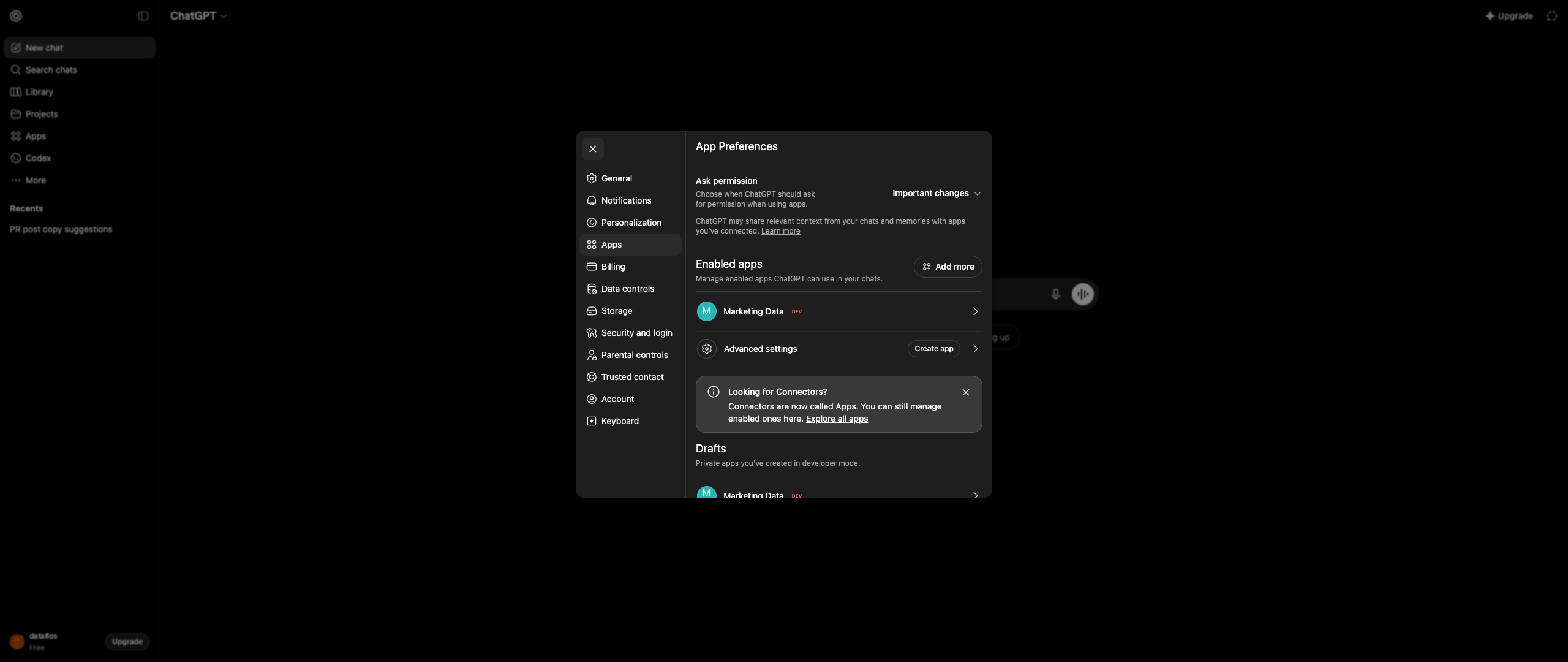
We recently built exactly this for an agency whose data function we run: a read-only MCP server over a single marketing-performance table, deployed to Google Cloud Run as a dedicated service account with read access to that one table and nothing else. We secured it with OAuth and locked access to the agency's own Google Workspace logins, so only their staff can connect. It runs inside ChatGPT, and because MCP is a standard, from Claude, Gemini or any compatible client too.
The whole arc, from the table schema to a live and secured connector answering plain-English questions, took a single working session. Running cost is roughly £0–5 a month, because the server scales to zero when idle and the per-query cap keeps warehouse spend inside its free tier.
Two notes from the build, because they generalise:
- The schema you're handed is never the live schema. The field list we started from was a subset of the real table, and it omitted the partition column — the single biggest lever on query cost. Filtering on it cut a representative query roughly sixteen-fold. Reconcile against the live warehouse before trusting any "curated" view.
- The build is no longer the hard part. With a coding assistant, standing the server up is an afternoon. The work that's left is the decisions (what to expose, how to guard it) and the integration glue, mostly getting authentication right for a third-party connector. That is where the time goes now, and it is navigable.
Schema — the structure of a database table: its columns and what each one holds. A partition splits that table by date so a query only scans the slice it needs — the main lever on cost.
This is an MVP, freshly live, with no real usage to point to yet. The striking part is how cheap building this has become.
Why Agencies should be doing this now

Two things changed at once. The build collapsed — what used to be a project is now an afternoon. And the tools matured: MCP went from new and uncertain to stable and adopted across the major assistants inside a matter of months. Good ideas that didn't find early traction are becoming dependable infrastructure, and that is the window where it pays to move.
Building it yourself, rather than waiting for an off-the-shelf connector, is what buys control and security, and it lets you shape the thing to your data and your guardrails. Even a couple of years ago an agency couldn't stand up its own secure, governed bridge between its warehouse and the tools its team uses. Now it can.
This is one read-only table in one chat tool. But it is the first brick of something larger: an AI operating layer for the agency, where data, tools and the assistants people already use start talking to each other. That is the direction agencies are heading as they become AI-native, and it is one you can start walking with something small, safe and live.
If you want to try it, start read-only, one table, hard cost and row caps, your own authentication locked to your domain, exposed in the tools your team already opens. Then watch what they ask. The questions people bring once the data answers are the roadmap for what to build next.